In SOLIDWORKS, graphics triangles are used to render components and display them on your screen. The number of graphics triangles required to display a model increases as the image quality setting is raised. This can affect both model detail and performance.
- Higher Image Quality → More Graphics Triangles → Better Detail → Slower Performance
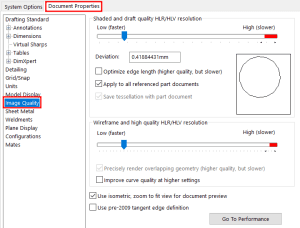
- Curved surfaces need more triangles to appear detailed, while flat surfaces are unaffected by image quality.
- The CPU computes the triangles when you rebuild the model, and the GPU handles them during actions like zooming and rotating.

Example: Comparing Different Shapes
- Sphere: As a highly curved surface, a sphere requires the highest number of triangles to render accurately.
- Arch: This also has curved surfaces, but fewer triangles are needed than for a sphere.
- Cube: Since it has only flat faces, the number of triangles remains constant, regardless of the image quality setting.


In short, increasing image quality gives you more detail but can reduce performance, especially with models that have curved shapes.