Some user suddenly find out that when they right click at graphic area when using DraftSight, there is no menu pop-up. This might be due to some settings had been change. Below is some of the settings user need to try to solve this issue.
- First user needs to select at the DraftSight icon at Top Right and the choose Options.
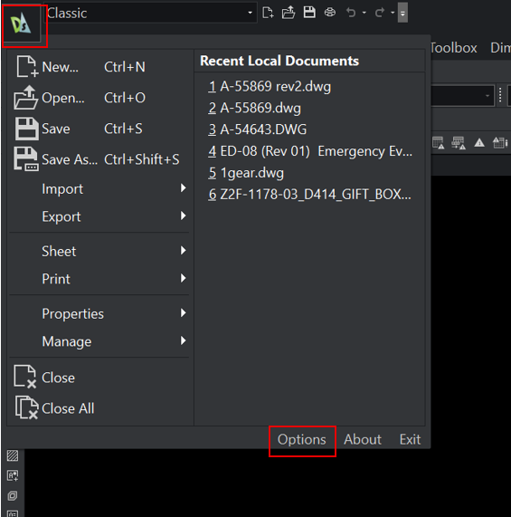
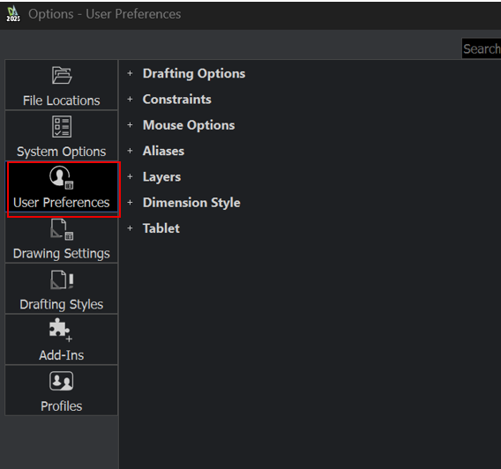
- Then click on User Preferences.

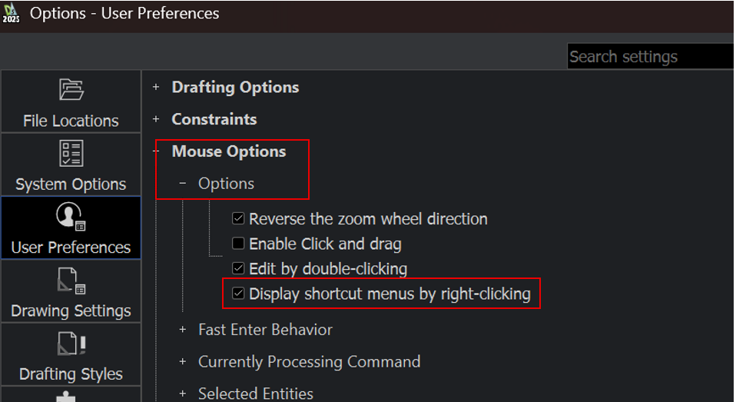
- Expand Mouse Options and then expand Options. Make sure “Display shortcut menus by right-clicking” is active.
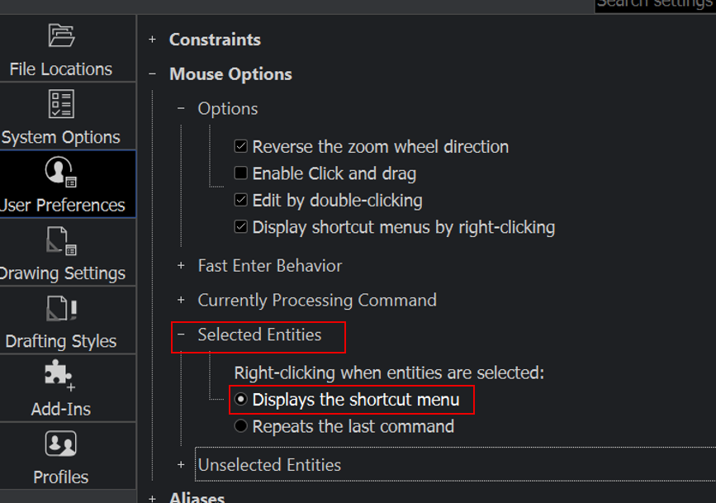
- Next, also expand Selected Entities and make sure “Displays the shortcut menu” is active.
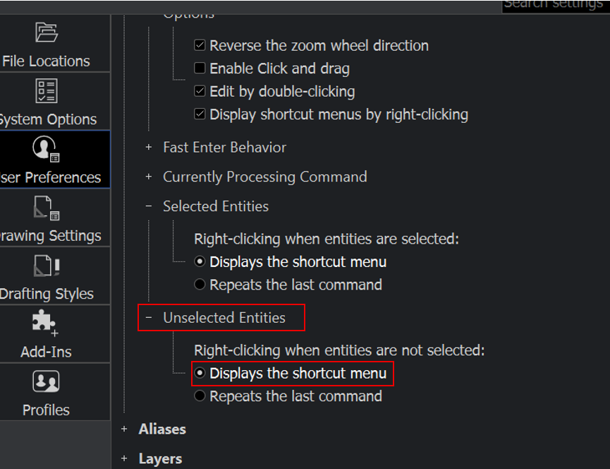
- Then, lastly expand on Unselected Entities and make sure “Displays the shortcut menu” is active.
- Close the Options and user can check whether right-clicking anywhere now shows the menu.
- If the issue still occurs, please contact our technical support to assist further.