Global Variables let you define a value once and apply it across multiple dimensions for easy updates and consistency.
Method 1: Using the Equations Manager
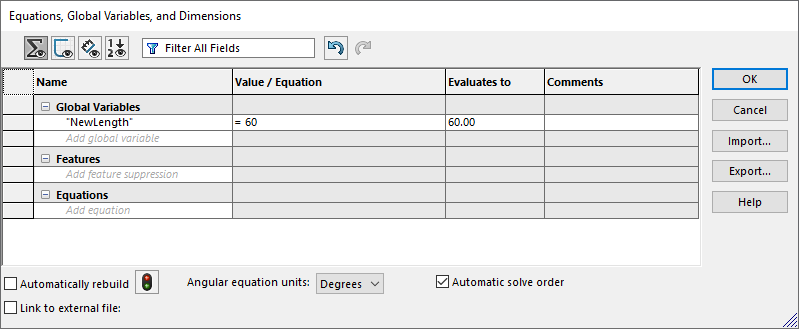
- Go to Tools > Equations.
- Under Global Variables, type a name (e.g: NewLength) and set a value (e.g: 60).
- Click OK to save.
Method 2: Directly in a Sketch

- Double-click a dimension in a sketch.
- In the Modify Dimension box, type =NewLength. (Must be including the equal sign)
- Press Enter and click OK.