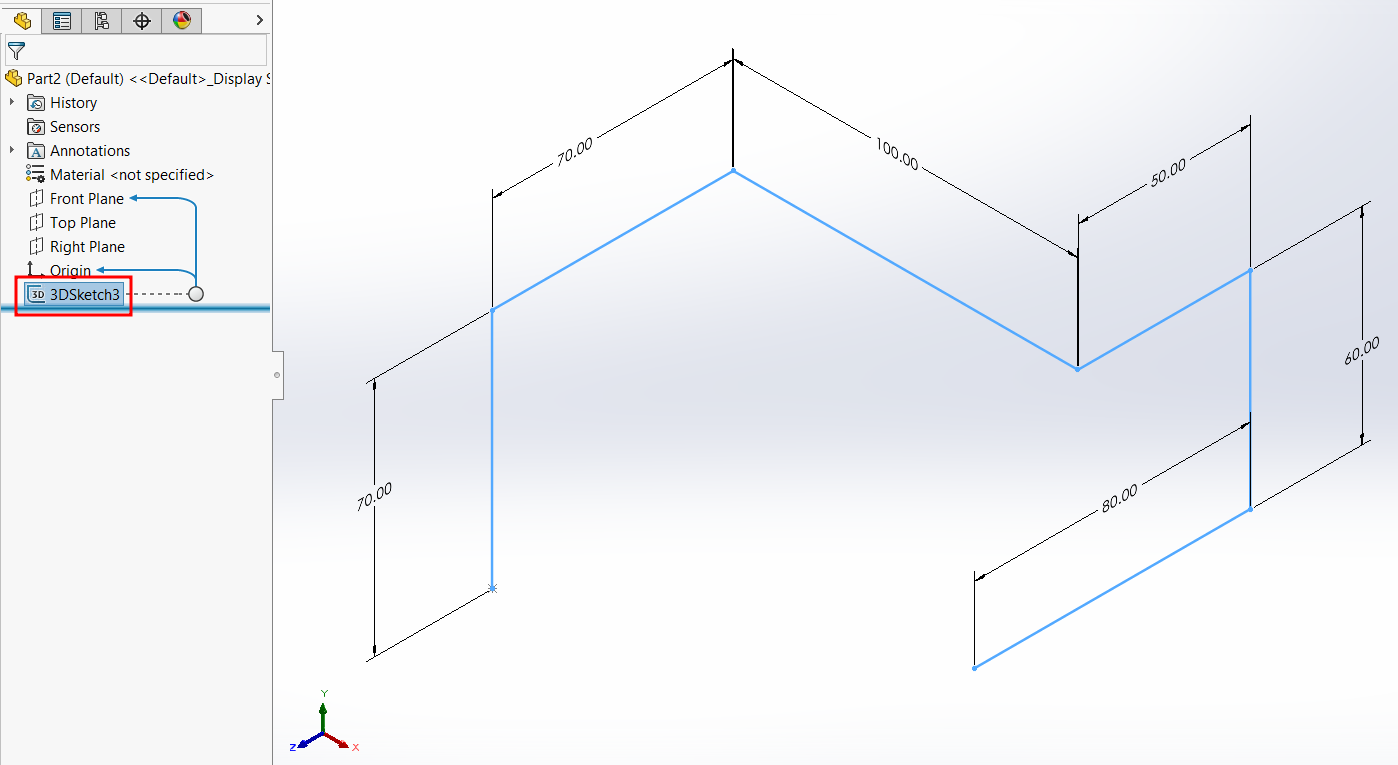
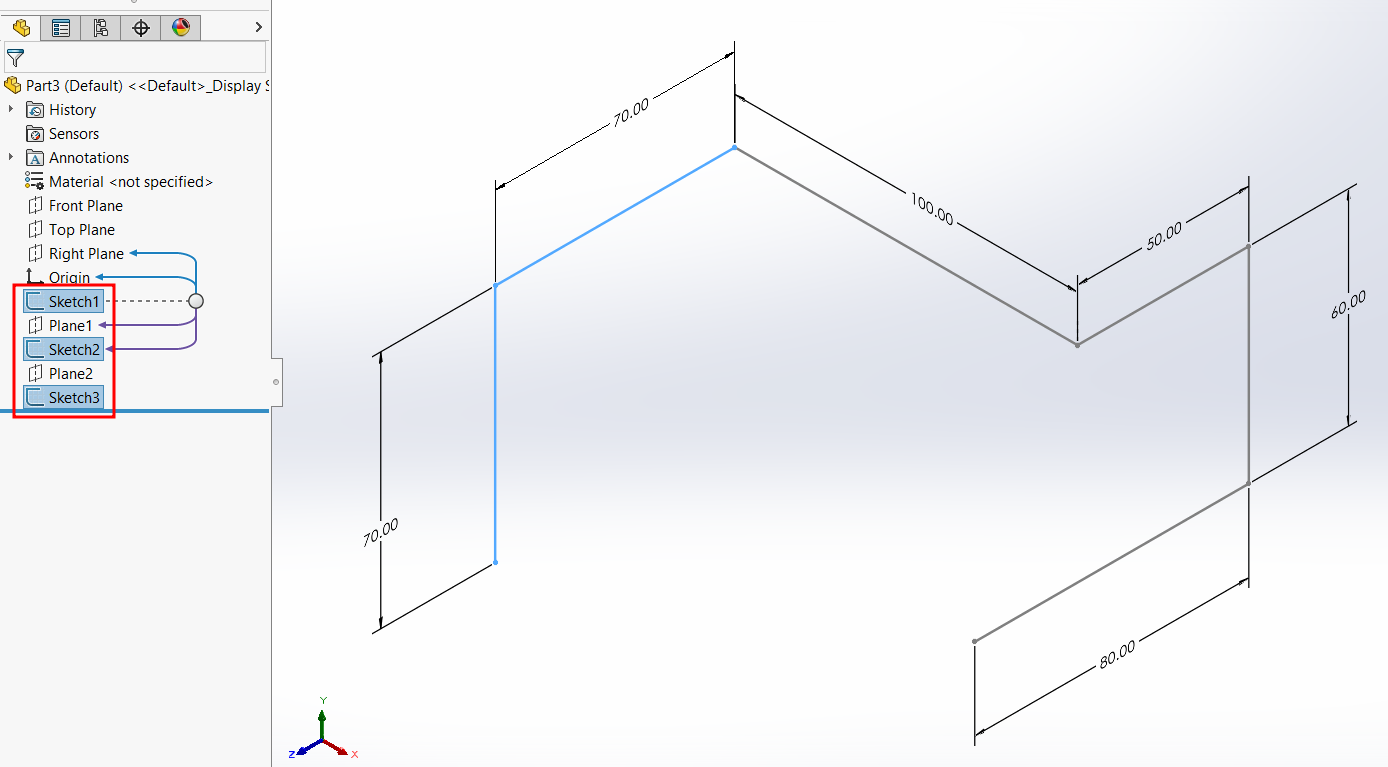
In SOLIDWORKS, you can create a 3D sketch with references to the XY, YZ, and ZX planes, as well as axes or surfaces.
3D sketches are commonly used in applications such as:
- Weldments – to insert structural members along a 3D frame.
- Routing paths – for pipes, tubes, or electrical cables.
- Reverse engineering – to convert meshes into solid parts.
How to Start a 3D Sketch:
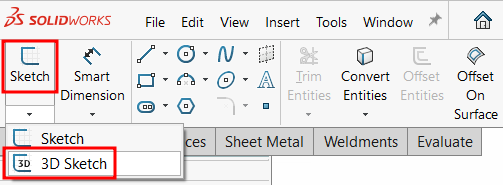
1. Go to the Sketch tab and activate the 3D Sketch command.
2. This example shows a sketch created on the YZ plane.
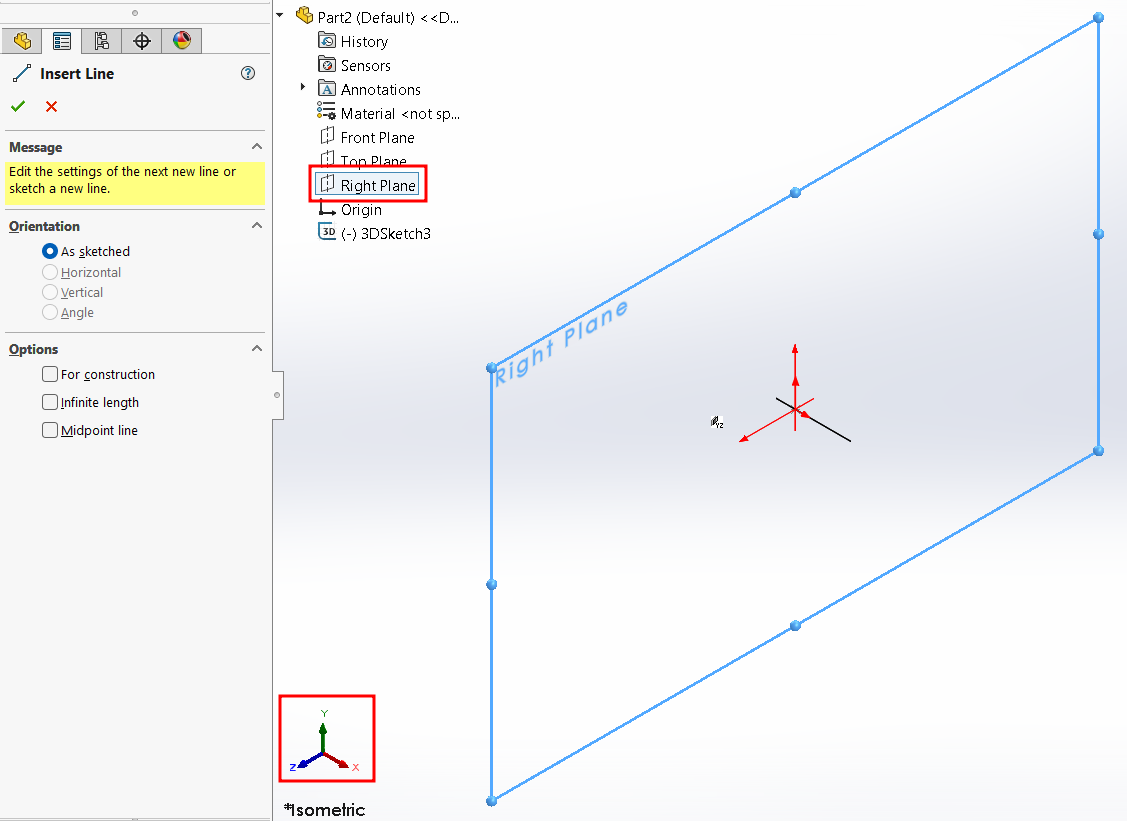
3. Use the red triad as a visual reference to identify which plane you’re sketching on.
4. Press the Tab key to quickly switch between XY, YZ, and ZX planes.
Using a 3D sketch allows you to build complex designs in a single sketch, whereas using 2D sketches would require multiple sketches and custom planes to achieve the same result.