Some Features in SOLIDWORKS Sketch Tab are Missing
Kindy refer to the steps below:
- Right click the sketch tab and click on customize.
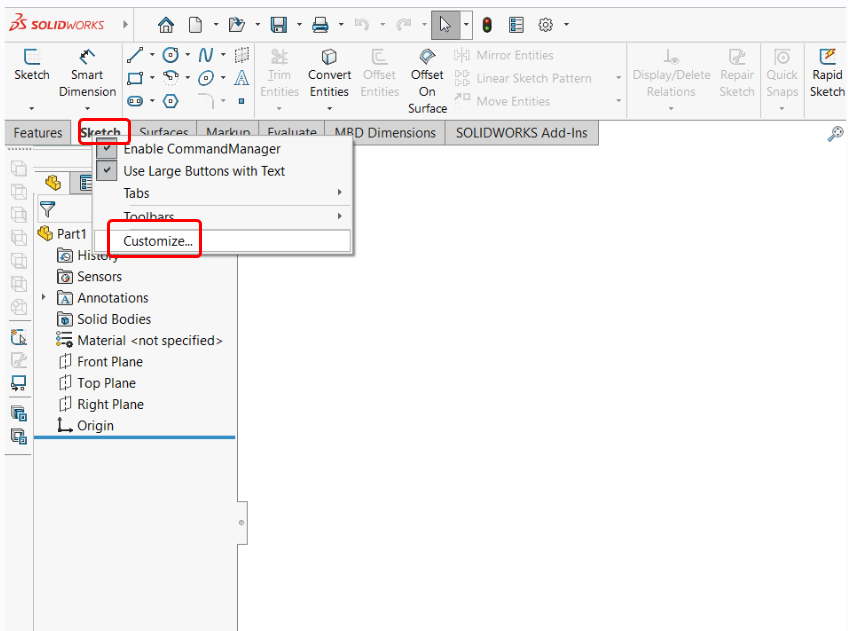
2. Click reset to default.
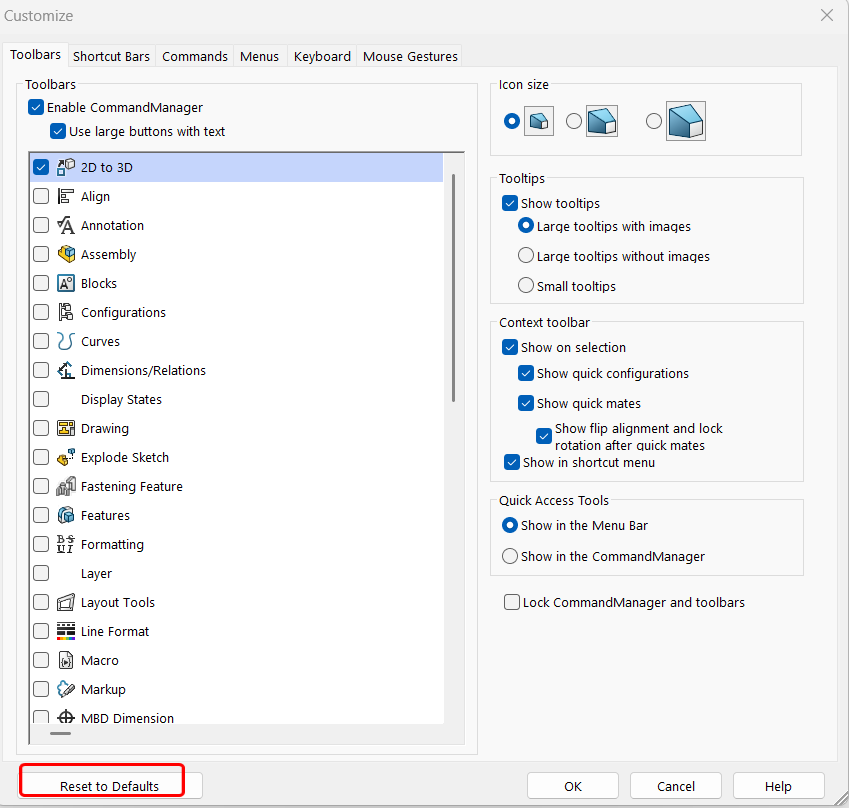
3. Click Reset all customizations.
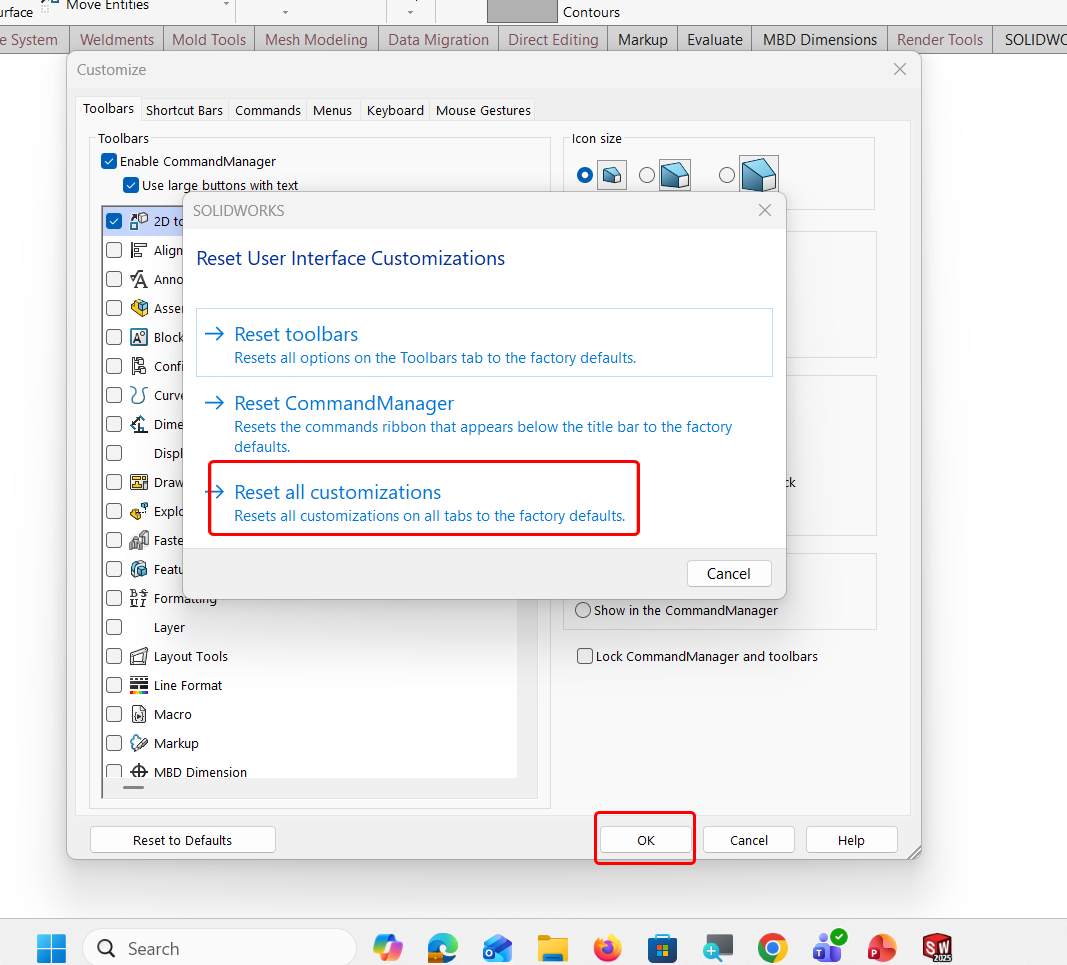
4. Close SOLIDWOKRS and then open SOLIDWORKS. Features in SOLIDWORKS sketch tab are full now.