The error “swdocumentmgr missing” in SOLIDWORKS usually indicates an issue with the SOLIDWORKS Document Manager library, specifically the swdocumentmgr.dll file. This can happen due to a variety of reasons, including incorrect versions, missing files, or problems with registration. To fix this, you can try repairing the SOLIDWORKS installation according to the steps below.
- In the Windows Search Bar, find Add or Remove programs.
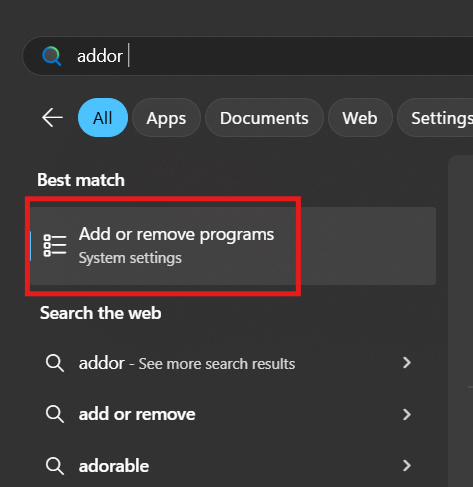
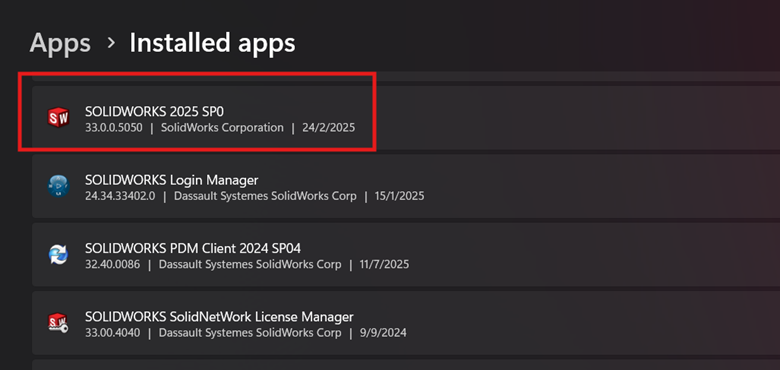
- Find your SolidWorks version that you use on the Installed Apps.

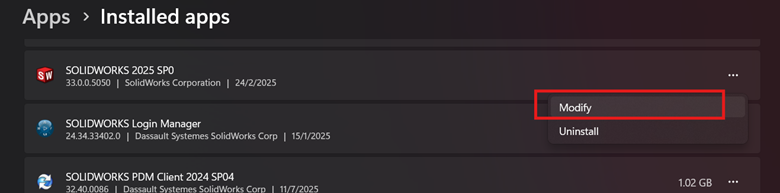
- Click on the triple dot at the right side of the SolidWorks version and choose Modify.
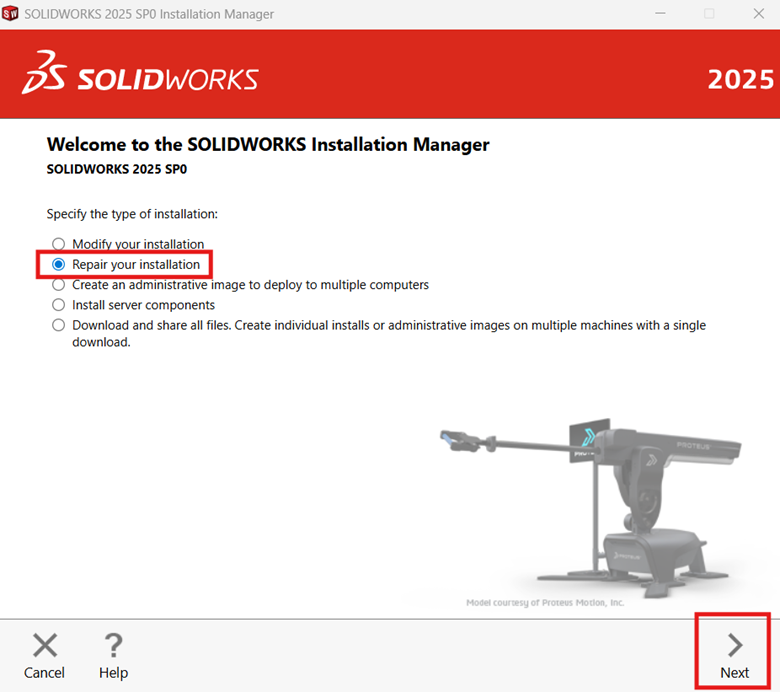
- When SolidWorks Installation manager opens, Select “Repair your Installation” and click “Next”.
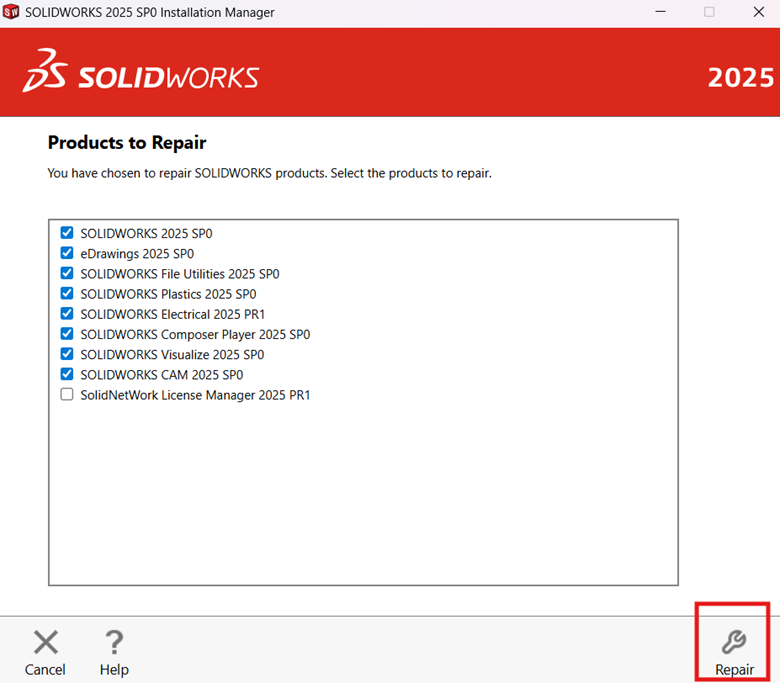
- Next, click “Repair” and wait until the process is complete.
- Try open back SolidWorks to check if the issue solved.