The Cap planar openings on surfaces option in the Intersect feature automatically closes flat openings on surface bodies. This allows open surface geometry to be treated as a closed volume during the intersect operation.
If a circular extrude is created as a surface body instead of a solid body, and its ends are open, enabling this option will automatically cap the planar openings.
For the example below, a part containing two bodies (one solid body and one surface body) is used as the starting point.
Note: The Intersect feature requires at least two bodies and supports three or more bodies in a single operation.
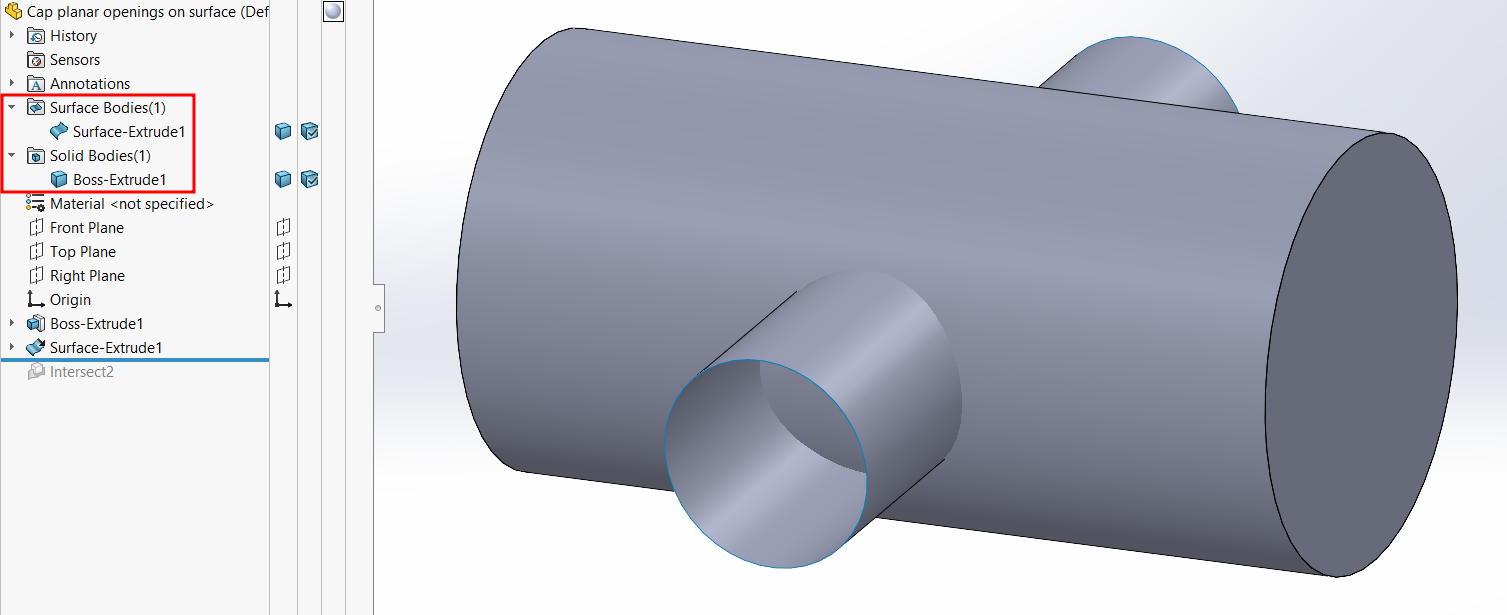
Behavior of “Cap Planar Openings on Surfaces”
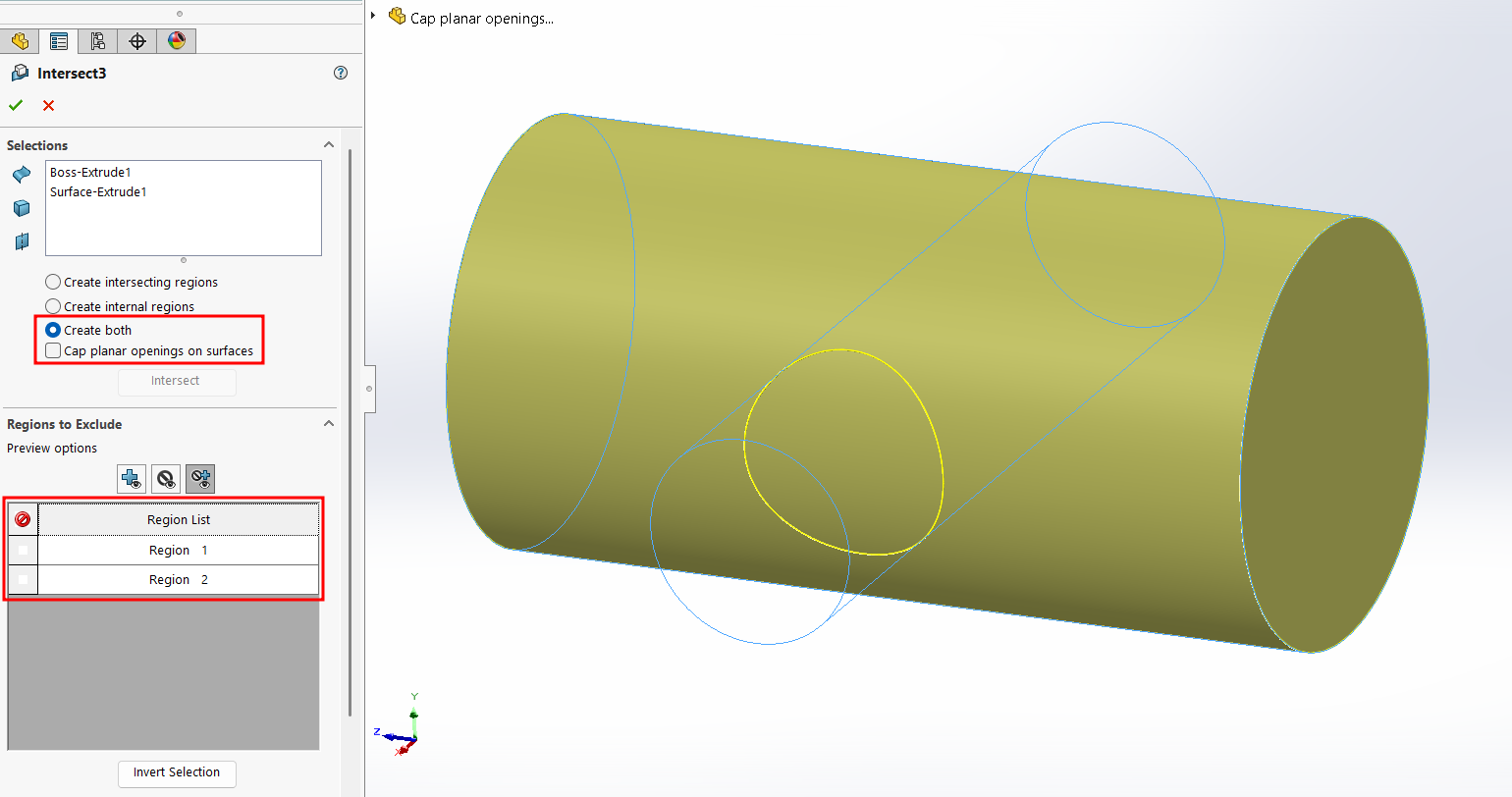
1. Option turned OFF
- SOLIDWORKS does not cap the planar faces of the surface body.
- Only two regions are detected in the Results tab.
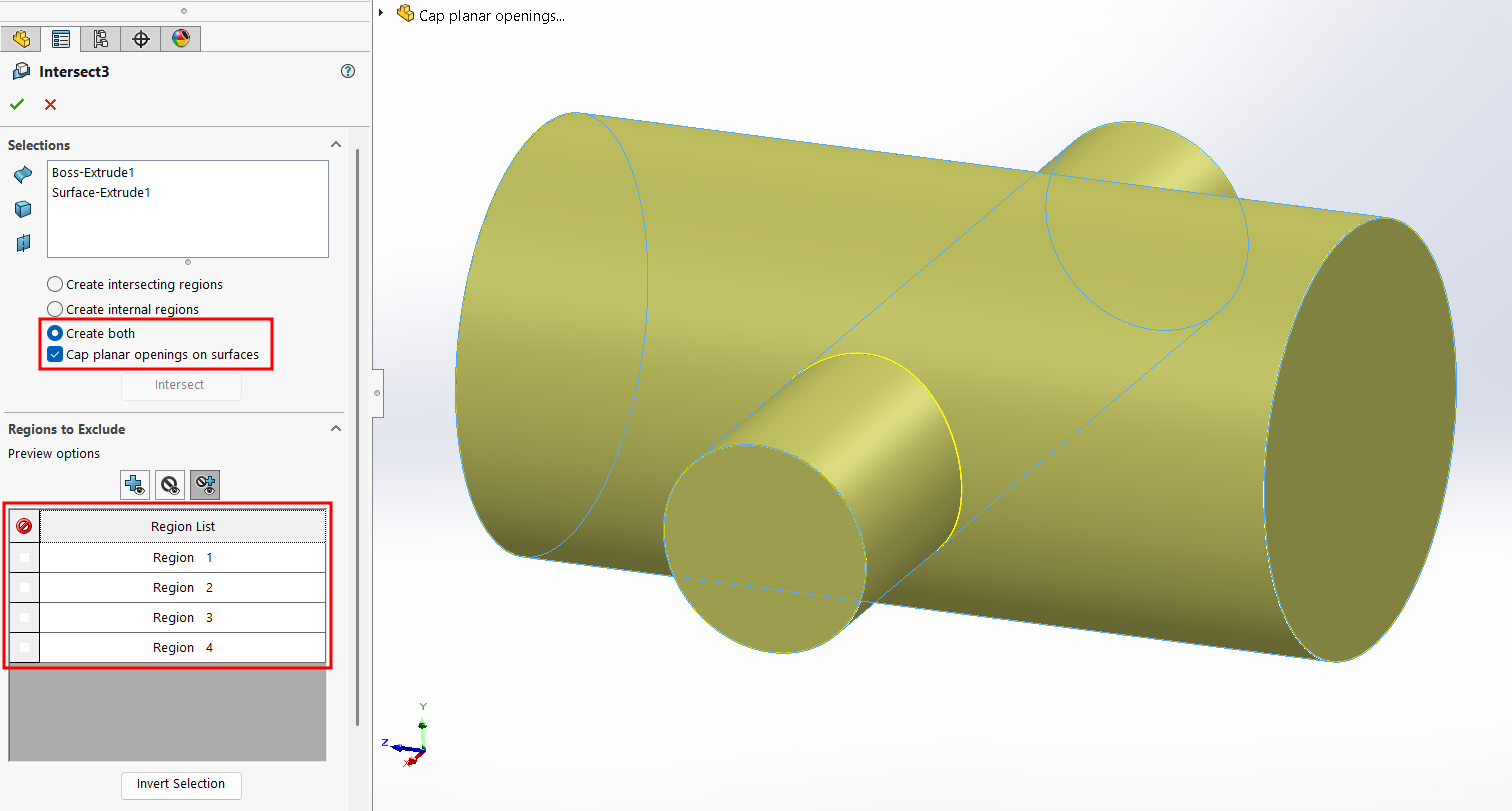
2. Option turned ON
- SOLIDWORKS automatically caps the planar openings of the surface bodies.
- Four regions are detected in the Results tab.
- When confirmed, the selected regions are merged into a solid body.
This option is useful when working with surface geometry that needs to participate in Boolean operations without manually closing open faces.