When working with two holes positioned perpendicular to each other, you may need to calculate the distance between their center points.
The manual method typically requires creating construction lines through the hole centers, setting them perpendicular, and then measuring between the points. While this works, it can be time-consuming.

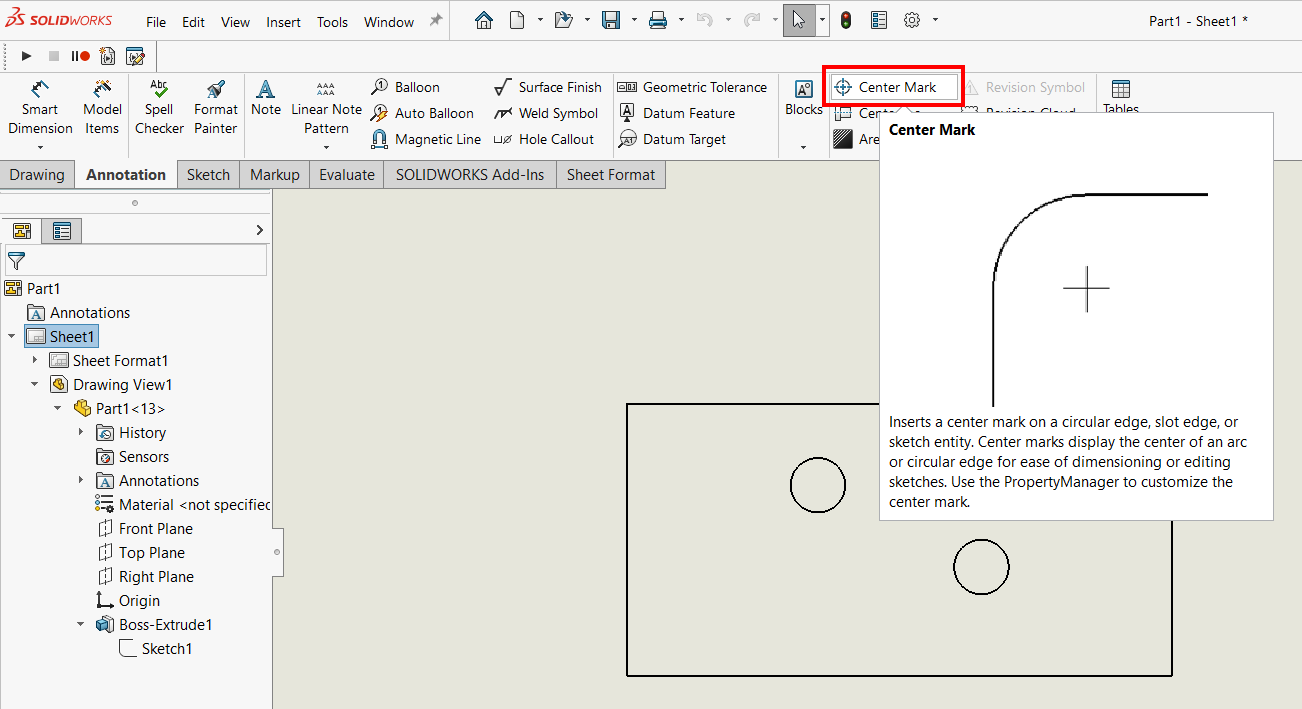
A faster way is to use the Center Mark tool in SOLIDWORKS. This feature automatically identifies hole centers and allows you to measure directly, without extra construction geometry.
Steps to Measure Distance Between Hole Centers:
- Go to the Annotation tab and click Center Mark.

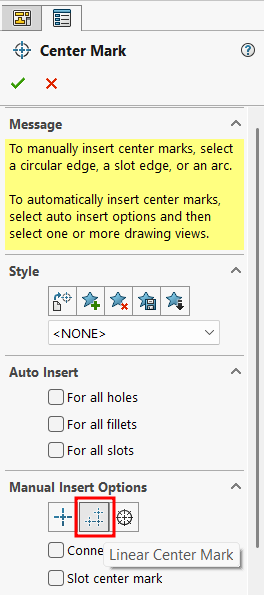
- In the Manual Insert Options tab, select Linear Center Mark.
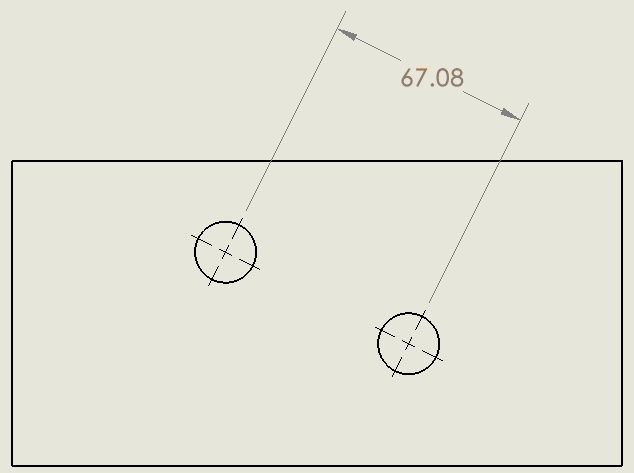
- Select the two holes. SOLIDWORKS will display their center marks.
- Use Smart Dimension to measure the distance between the two center points.
This method saves time, avoids unnecessary sketching, and ensures a cleaner workflow.